Salla → Telegram
Salla orders in Telegram
Every new order arrives as a Telegram message with the order number, status, customer and total.
Start free trial7-day free trial · no credit card
What you get · Sample data
R
Store orders
bot
🔔 order.created
ID: 8492
Reference: 20492
Status: بإنتظار المراجعة
Customer: سارة العتيبي
Total: 349 SAR
Email: [email protected]
RawNak · #8492
Set it up in three parts
- 1
Create your RawNak workspace
- Sign up, then copy your endpoint URL and signing secret from the dashboard.
- 2
Connect Salla
- In your Salla partner app settings, set the notification URL to your RawNak endpoint.
- Choose the Signature security strategy and the events you need, such as order.created and order.updated.
- Copy Salla's notification secret into Security → Extra signing secrets in RawNak.
- 3
Add Telegram as a destination
- In Telegram, open @BotFather, send /newbot and copy the token.
- Add the bot to your group or channel, or start a private chat with it.
- In RawNak, open Destinations → Add destination → Telegram, paste the token, press “Find my chats” and pick the chat.
Salla retries a failed notification only about three times. RawNak stores every order the moment it arrives and keeps retrying the delivery for up to 24 hours.
Full step-by-step guide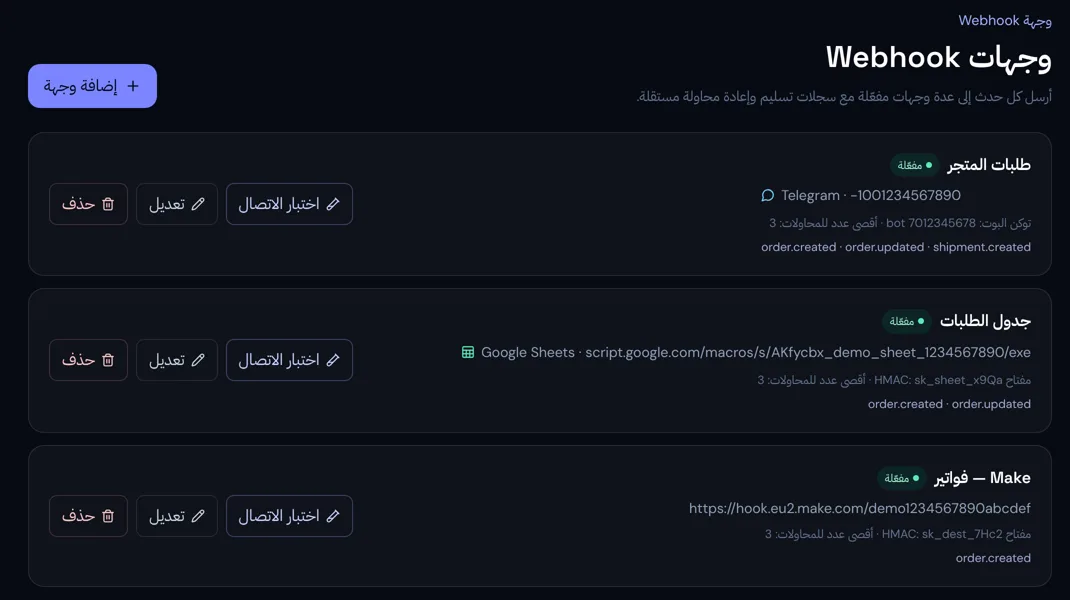
Why route it through RawNak
Your whole team sees new orders on their phones, without opening the store dashboard.
- Every order is stored the moment it arrives, even if the destination is down.
- Failed deliveries are retried automatically, and any order can be resent from the delivery log.
- Choose which events go to each destination, so you only see what matters.